This is an easy one, but one I wanted to write down. How to show line numbers in Oracle SQL Developer.
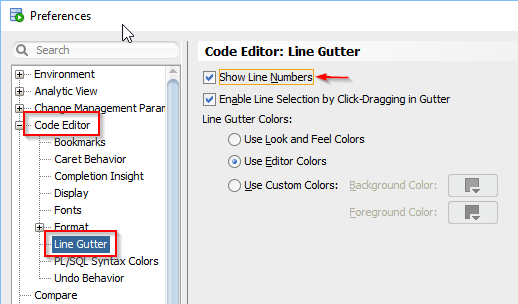
In Oracle SQL Developer go to Tools → Preferences. Within the preferences window navigate to Code Editor → Line Gutter and select Show Line Numbers.
Leave a Reply